
Call Transcription is an additional product available through Delacon. When enabled, it provides a transcript for each of your calls:
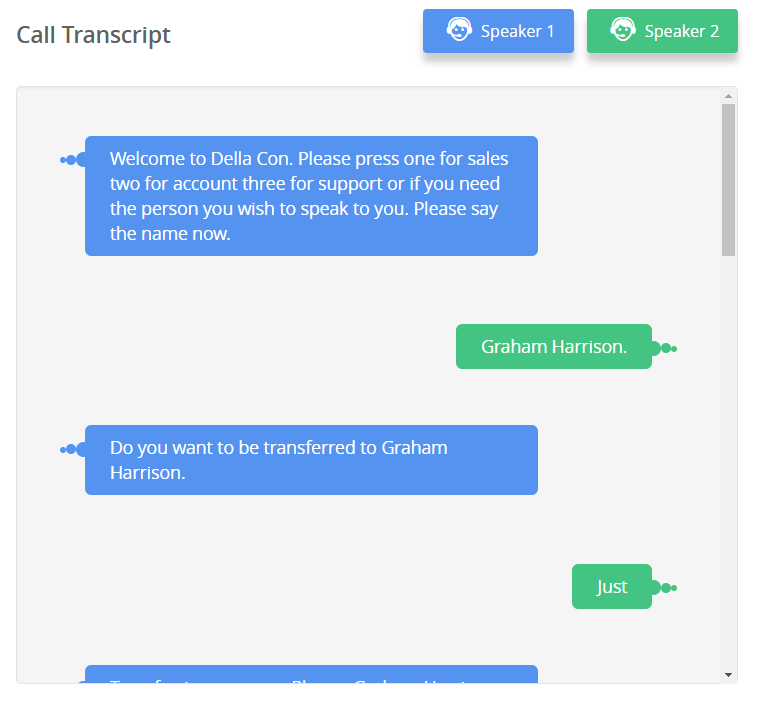
Transcriptions can be accessed via the Call Log Report in the Delacon Portal:
- Login to the Delacon Portal
- Click on ‘Call Log’ in the side menu bar:
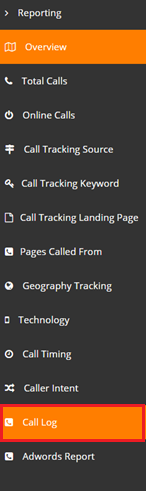
3. Add the Transcript to the report:
- Click on the arrow in the ‘Listen’ column:
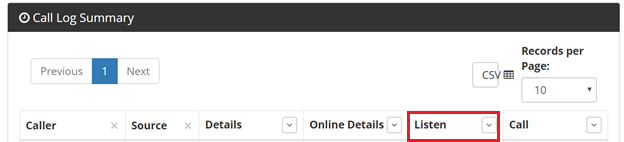
- Click on Transcript to add it into the report:
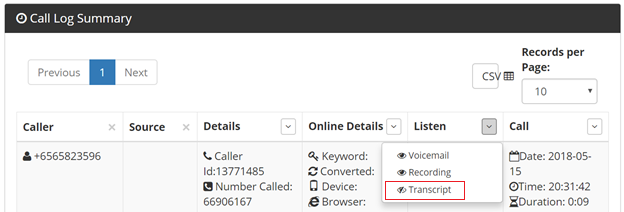
4.Select the date range you want to search for:
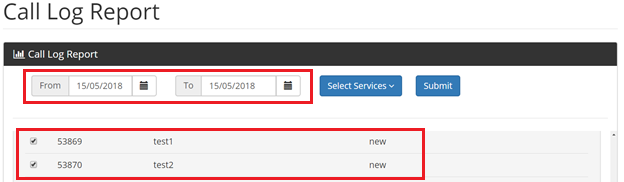
5.Click Submit
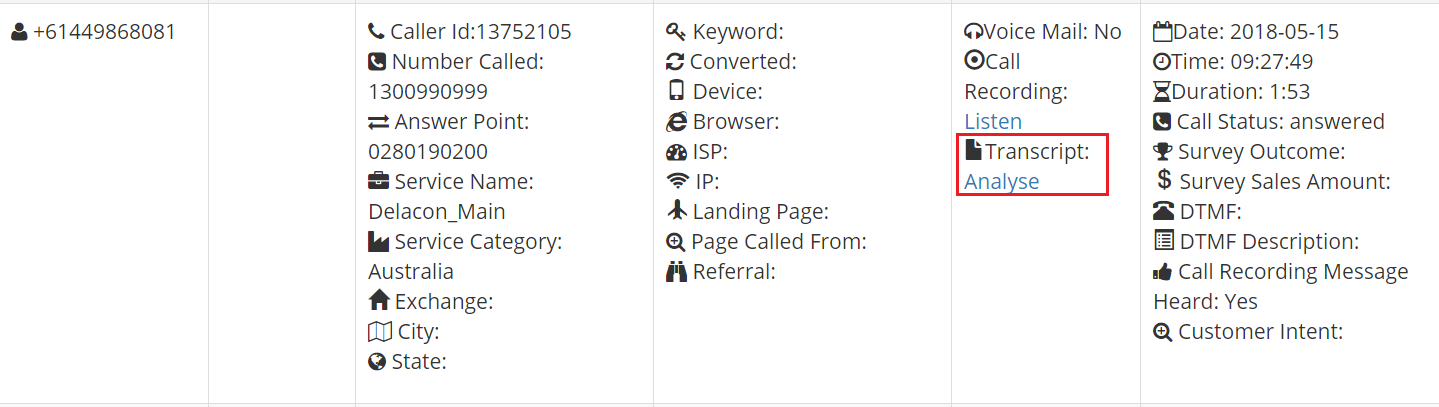
6. Once the report has run, click on the 'Analyze' link for the record you want to view the transcript for:
Recently, a new data security feature has been added to Delacon's call transcripts. The Credit Card Number Redaction feature will automatically remove any sensitive credit card information and replace it with # symbols, to maintain the security of that data.
Comments
0 comments
Please sign in to leave a comment.